Network System 0.1.1
High-performance modular networking library for scalable client-server applications
Loading...
Searching...
No Matches
quic_client_example.cpp File Reference
#include <iostream>
#include <string>
#include <memory>
#include <thread>
#include <chrono>
#include <vector>
#include <atomic>
#include <condition_variable>
#include <mutex>
#include "internal/experimental/quic_client.h"

Include dependency graph for quic_client_example.cpp:

Go to the source code of this file.

Classes

class  QuicClientDemo
 Simple QUIC client demo. More...
 

Macros

#define NETWORK_USE_EXPERIMENTAL
 

Functions

void demo_with_config ()
 Example with custom configuration.
 
int main (int argc, char *argv[])
 

Macro Definition Documentation

◆ NETWORK_USE_EXPERIMENTAL

#define NETWORK_USE_EXPERIMENTAL

BSD 3-Clause License Copyright (c) 2024, Network System Project

QUIC Client Example

This example demonstrates how to use the QUIC client API to connect to a QUIC server and send/receive data.

Note: This sample uses messaging_quic_client directly instead of quic_facade because it needs QUIC-specific features like multi-stream support, 0-RTT, and connection statistics. The quic_facade returns i_protocol_client which provides a unified interface but doesn't expose QUIC-specific methods.

Key features demonstrated:

  • Basic connection and disconnection
  • Sending data on the default stream
  • Creating and using multiple streams (QUIC-specific)
  • Handling callbacks for various events
  • Using configuration options

Definition at line 33 of file quic_client_example.cpp.

Function Documentation

◆ demo_with_config()

void demo_with_config ( )

Example with custom configuration.

Definition at line 253 of file quic_client_example.cpp.

254{
255 std::cout << "\n=== QUIC Client with Custom Config ===" << std::endl;
256
257 // Create client directly for QUIC-specific features
258 auto client = std::make_shared<core::messaging_quic_client>("config_demo_client");
259
260 // Configure QUIC-specific options
262 config.verify_server = false; // For testing with self-signed certs
263 config.alpn_protocols = {"h3"};
264 config.max_idle_timeout_ms = 60000; // 60 seconds
265 config.enable_early_data = true; // Enable 0-RTT
266
267 // For mutual TLS, set optional fields:
268 // config.ca_cert_file = "/path/to/ca.pem";
269 // config.client_cert_file = "/path/to/client.pem";
270 // config.client_key_file = "/path/to/client-key.pem";
271
272 auto result = client->start_client("example.com", 443, config);
273 if (result.is_err())
274 {
275 std::cout << "Expected failure (no server): " << result.error().message << std::endl;
276 }
277
278 (void)client->stop_client();
279}
tracing_config config
Definition exporters.cpp:29
Configuration options for QUIC client.
Definition quic_client.h:51

References config.

Referenced by main().

Here is the caller graph for this function:

◆ main()

int main ( int argc,
char * argv[] )

Definition at line 281 of file quic_client_example.cpp.

282{
283 std::string host = "127.0.0.1";
284 unsigned short port = 4433;
285
286 if (argc >= 2)
287 {
288 host = argv[1];
289 }
290 if (argc >= 3)
291 {
292 port = static_cast<unsigned short>(std::stoi(argv[2]));
293 }
294
295 // Run the main demo
296 QuicClientDemo demo(host, port);
297
298 // Note: This will likely fail without a running QUIC server
299 // The demo is primarily to show the API usage
300 std::cout << "\nNote: This demo requires a running QUIC server." << std::endl;
301 std::cout << "Without a server, connection will timeout." << std::endl;
302 std::cout << std::endl;
303
304 bool success = demo.run();
305
306 // Also show configuration example
308
309 return success ? 0 : 1;
310}
Simple QUIC client demo.
void demo_with_config()
Example with custom configuration.

References demo_with_config(), and QuicClientDemo::run().
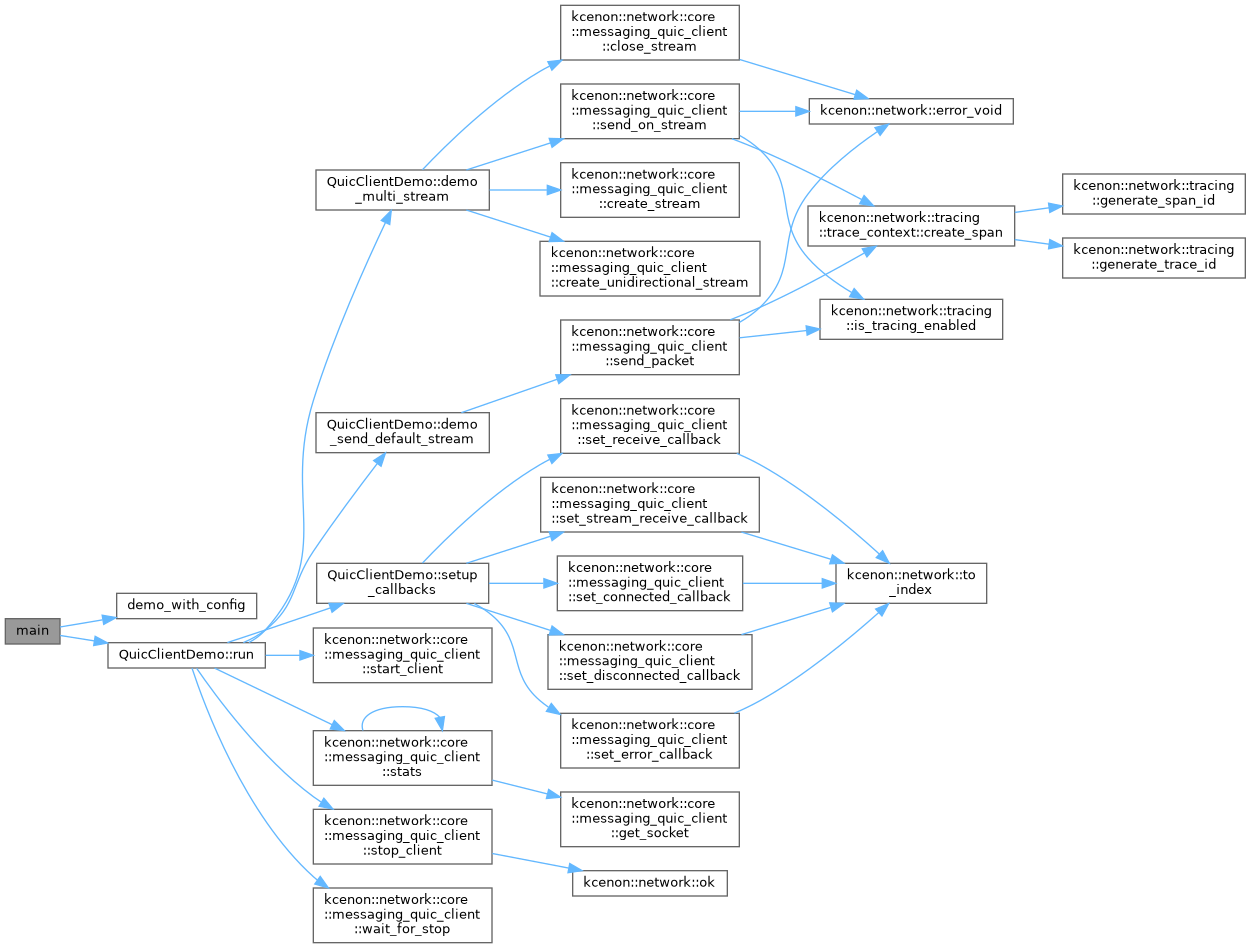
Here is the call graph for this function: